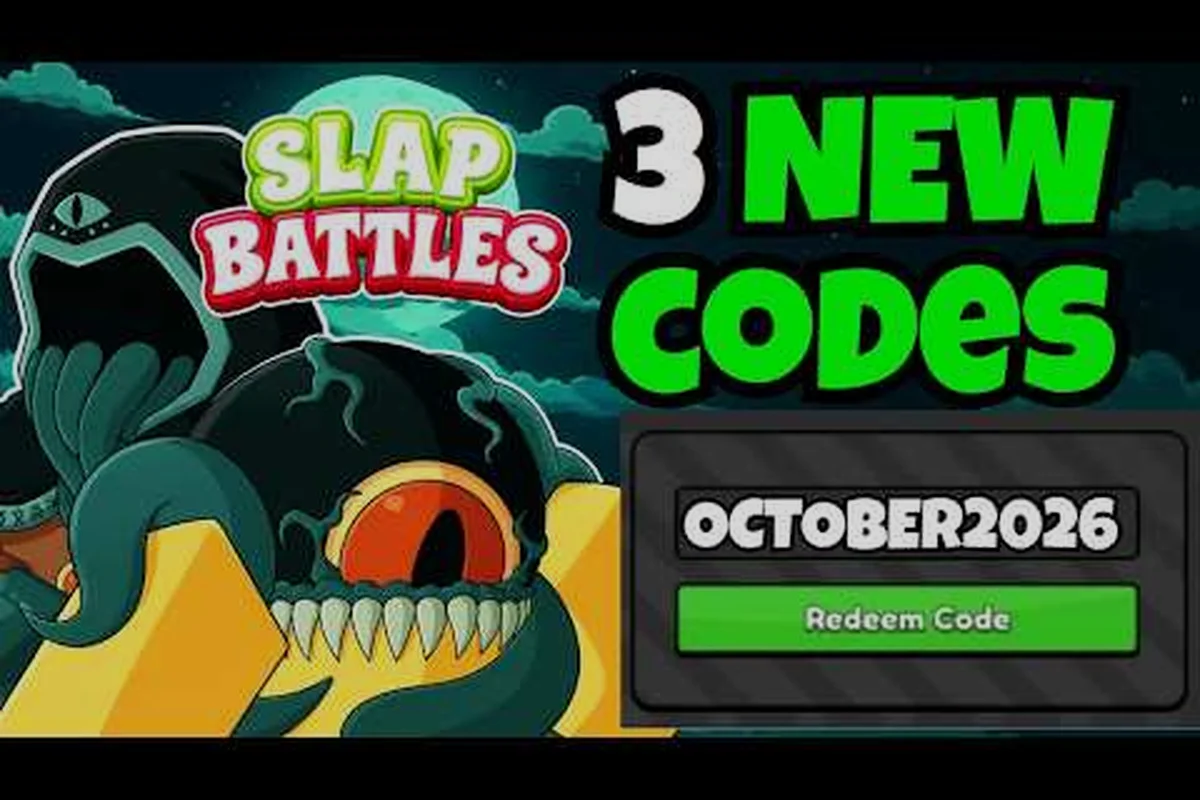
A case-sensitive mismatch can stop a valid Slap Battles code from being redeemed, leaving the free reward or Null Shards unclaimed even when the code itself is active. Enter the code exactly as posted, including capital and lowercase letters, then confirm that you selected the correct redemption option in the Codes menu. If the game appears not working, close and reopen that menu before trying again, and avoid adding spaces or changing punctuation that is part of the code.
Slap Battles Code Case Sensitive: What Causes the Error?
A code can look valid and still fail because the game compares every character with exact capitalization. Letters, numbers, and symbols must match the published code, while spaces around the text are usually harmless. This makes the slap battles code case sensitive issue one of the simplest errors to diagnose, provided the code itself is active and the account is eligible.
Community reports commonly describe three related causes: a lowercase letter replacing an uppercase one, a code copied from an outdated post, or a missing redemption level. Player experience also suggests that codes from reposts can contain stray punctuation that is difficult to notice on a phone. The most reliable approach is to compare the code character by character and submit it through the game rather than a third-party link.
| Apparent problem | Likely cause | Best next action |
|---|---|---|
| “Invalid code” | Wrong capitalization or extra character | Compare each character with the original announcement |
| “Code not redeeming” | Expired, inactive, or already claimed | Check the current code list and account history |
| “Invalid code” after correct entry | Redemption feature is still locked | Unlock the in-game code menu first |
| No reward appears | Delayed processing or platform issue | Reconnect, restart, and check again later |
The phrase “code not redeeming” does not automatically mean the code is invalid. A successfully submitted code can fail to display its reward when the game is reconnecting, so restarting the client is a sensible final diagnostic step. The current Slap Battles code list can then help distinguish an input error from a code that has expired or reached its redemption limit.
Compare Capitalization and Symbols
Start with the exact-character match. Uppercase letters are not interchangeable with lowercase letters, and punctuation such as hyphens, underscores, or exclamation marks can determine whether the input is accepted. Some community-created code pages apply visual styling that makes lowercase letters look like capitals, so copying from the original text is safer than relying on a screenshot.
Use this sequence for every attempt: compare the code exactly as published, including the distinction between uppercase and lowercase letters, then test it in the redemption field. For example, a code written as SLAP will not match Slap if the game’s validator requires identical character casing. Treat hyphens, underscores, and exclamation marks as meaningful characters too, because changing SLAP-BATTLES to SLAP_BATTLES can cause the code to be rejected. If a copied code fails, check for invisible formatting or a trailing space before trying a fresh manual entry.
-
Open the original source and locate the code line.
-
Copy only the code, without quotes or explanation text.
-
Compare uppercase letters, lowercase letters, numbers, and symbols.
-
Paste the code into the game’s redemption field.
-
If it fails, type it manually with the keyboard’s shift key when needed.
A practical manual-entry rule is to disable autocorrect before typing. Mobile keyboards may silently change capitalization or insert a space, and either can produce a rejection that looks mysterious. The important distinction is that the published code remains fixed while the input method can quietly alter it.
Separate Slap Battles Not Working Code From Other Failures
A slap battles not working code result has several possible causes, and the wording of the error can narrow the diagnosis. If the game says the code is invalid, inspect capitalization and extra characters first. If the redemption field is unavailable, account progression is a more likely explanation. If the game accepts the code but grants nothing, the issue may involve expiration, an existing claim, or a temporary connection problem.
| Error or behavior | Most probable cause | Verification method |
|---|---|---|
| Redemption field missing | Feature not unlocked yet | Check the required account level or badge icon |
| Invalid code | Character mismatch or inactive code | Retype from the original announcement |
| Already redeemed | Same account previously claimed it | Confirm prior reward in the message history |
| Accepted, no reward | Connection delay or account-side issue | Restart and allow a short processing window |
| Button does nothing | Stale interface or network interruption | Reconnect and reopen the code menu |
Do not keep pasting the same malformed string repeatedly. Repeated failures usually add no new information, while each new attempt may trigger a cooldown in some redemption systems. If the first two careful attempts fail, change the method: use manual entry, restart the game, and verify the code’s status.
Finding the Correct Slap Battles Code Menu Location
The slap battles code menu location is the main setting players should confirm before spending time on capitalization. The redemption option is normally found in the game interface rather than on the main play screen, and it may remain hidden until the account reaches a specified progression threshold. Menus can also shift after updates, so look for a rewards or settings-related icon rather than relying on an old screenshot.
Locate the Redemption Interface
Start from the main screen and check the menus that contain account, settings, or reward functions. Some players find the option through a small icon near the top or side of the interface, while others report a route through a profile or options panel. Because interface layouts can vary by platform or version, treat community reports as directional rather than a guaranteed permanent location.
The practical menu-location checklist starts by locating the Redemption Interface in Slap Battles, where valid codes can be exchanged for rewards such as free Null Shards. Treat the button label as a clue rather than a guarantee: “Codes,” “Redeem,” or “Rewards” may appear in different positions after an interface update. If the redemption panel does not appear, confirm that the intended account is active and that the game has finished loading, since an incomplete lobby or wrong account can make the option inaccessible.
-
Confirm that you are logged into the intended account.
-
Open menus available from the main lobby.
-
Look for wording such as “Codes,” “Redeem,” or “Rewards.”
-
Check for a lock icon that indicates a progression requirement.
-
Make sure the game is fully loaded before searching.
The code unlock requirement guide details the account progression surrounding redemption access. If a code button is missing, continue through the relevant battle or account progression and reopen the menu, because pasting a code elsewhere cannot bypass an interface that has not unlocked.
Check Eligibility Before Submitting
Some valid codes also have account restrictions. The same code may be limited by player level, account age, region, event participation, or a requirement to complete a particular task. These conditions mean a correctly capitalized code can still be rejected when the account does not meet the rule attached to that reward.
| Eligibility check | What to verify | Practical result |
|---|---|---|
| Account level | Current level meets the posted minimum | Redeem after advancing |
| Starter character or badge | Required ownership is present | Switch to the correct account |
| Event participation | Required battle or event was completed | Finish the activity first |
| Platform or region | Code supports the current client | Use an eligible account |
| One-time claim | This account has not redeemed it | Check prior redemption history |
This is why account eligibility is separate from character accuracy. A code can be active, typed perfectly, and still fail because the account lacks a required unlock. A missing bird icon or locked rewards button, as described in player reports, should be treated as an account-state issue rather than evidence of bad capitalization.
Fixing a Slap Battles Code Not Redeeming
When a code is not redeeming, separate input validation from reward delivery. The redemption box may reject malformed text immediately, while a valid submission can proceed quietly before the reward appears. The fastest method is to use a clean, controlled test: restart the game, reopen the code menu, and submit one carefully checked code at a time.
Run a Clean Redemption Attempt
A clean attempt reduces the variables that can interfere with the result. Close the menu completely, reconnect to the server, and reload the game. Then open the code field, clear any previous text, and paste or type the code. Do not add quotation marks, a description, or a space before the first character unless the original code visibly includes it.
| Step | Action | Reason |
|---|---|---|
| 1 | Restart the game client | Clears stale interface and connection state |
| 2 | Open the redemption menu again | Confirms the feature is actually available |
| 3 | Clear the input field | Removes old characters and hidden whitespace |
| 4 | Copy only the code text | Prevents copied commentary from entering the box |
| 5 | Submit once | Avoids cooldown and duplicate-claim confusion |
| 6 | Wait briefly, then reconnect | Allows a delayed server response to arrive |
The single-submission habit makes the result easier to diagnose. If you immediately paste three different codes, you may not know which one caused the error. By testing one code at a time, you can record whether the game rejects the string, accepts it, or accepts it without showing a reward.
Inspect the Reward and Claim Status
Some errors appear only after submission, especially when a player has already used a code. Read the full message instead of focusing on the red “invalid” color. Messages about expiration, an existing claim, or insufficient account progress provide a more accurate diagnosis than the button color alone.
After an apparently successful claim, open the Codes menu again and compare the displayed reward with the reward icon shown before confirmation. A code can be recognized as valid yet produce a different result if the account has already claimed it, the event reward has changed, or the code’s eligibility requirements were not met. This is especially important for promotional codes tied to Null Shards, because the redemption message may name the actual currency or item granted rather than the reward advertised in an older guide.
-
Check the currency, item, or cosmetic inventory.
-
Look for a confirmation message or inbox item.
-
Reconnect if the reward counter does not refresh.
-
Avoid claiming the same code again until you know its status.
-
Record the result so a later one-time claim error is understandable.
Community reports indicate that some players have received Null Shards and other free rewards through valid promotional codes. The Null Shard earning guide covers additional event-based and progression routes, which is useful when a code works but the specific reward is not the one expected.
Slap Battles Codes Troubleshooting Checklist
Complete this checklist in order instead of changing capitalization at random. The goal is to identify the failing layer: code text, account eligibility, interface access, network state, or code status. Each layer answers a different question, and skipping ahead can make a simple problem look like a server error.
Confirm the Code Is Still Active
A code that once worked can expire, be replaced, or be limited to a fixed number of redemptions. A clean entry does not make an inactive code valid. Check whether the announcement includes an expiration date, event window, account limit, or a replacement notice. Community code lists are useful for discovery, but the original announcement is the stronger source when the two disagree.
Use the active-code check before repeating entry attempts. In Slap Battles, confirm that the code is still active by checking the original announcement and the latest code list, then verify that the exact code is entered in the code menu without changing capitalization, adding spaces, or copying trailing characters. Case sensitivity can prevent a valid code from being recognized, while an expired code may also appear to be “not working.” For example, if a code was limited to one redemption per account and the first attempt already consumed the reward, repeating it will not restore the Null Shards. Record the date, account, and result before testing another eligible code.
-
Compare the code with the most recent published version.
-
Look for “expired,” “ended,” or “claimed out” labels.
-
Check whether another code replaced it.
-
Confirm that the reward still matches the announcement.
-
Test only codes that remain valid for your platform and region.
| Status | Meaning | Recommended response |
|---|---|---|
| Active | Recently listed and still within its window | Redeem carefully |
| Expired | Redemption period has ended | Find a replacement code |
| Region-limited | Valid only for specified players or servers | Use an eligible account |
| Claim limit reached | Too many accounts have redeemed it | Wait for a new code |
| Unverified | Listing is old or lacks a reliable date | Test cautiously and confirm status |
For broader reward tracking, compare entries in the 2026 Slap Battles code list. Keep a small personal log with the date, exact code, account, and result; this prevents a mistaken repeat claim from being mistaken for a fresh failed redemption.
Verify Network and Client State
A weak connection can make the redemption button appear inactive or prevent the reward display from updating. Restarting the application and reconnecting is more reliable than repeatedly pressing the button, especially after switching Wi-Fi, mobile data, or network region. If the button works but the reward never appears, allow a short delay before trying again because server delivery can lag behind the input response.
Before diagnosing a Slap Battles code, confirm that the redemption screen is fully loaded and that you entered the code in the active Codes menu rather than a search or chat field. Copy the code directly from its source, remove any accidental spaces, and compare every character—including uppercase letters, because the form may distinguish SLAP from slap. If the code still fails, test the same entry in a freshly reopened game before concluding that it is expired or invalid.
-
The client is fully loaded into the main menu.
-
The internet connection remains stable.
-
The account is connected to the expected server.
-
No update prompt is blocking the interface.
-
The device clock and timezone are reasonably set.
-
The game has been closed and reopened once.
The connection-before-code rule helps avoid unnecessary work. If you cannot maintain a stable connection, a code may be accepted by the form while the response or reward arrives later. This differs from capitalization, which is determined locally by comparing the text before submission.
Getting Free Rewards Without Missing a Valid Code
Players looking for slap battles free rewards codes should focus on official announcements, current community lists, and account eligibility rather than searching endlessly. A reward code may provide currency, cosmetics, or event-related items, but the exact contents depend on the active promotion. Treat any promise of a specific payout as unverified unless it is supported by a current announcement.
Check Reward Types Before Claiming
Free rewards can include progression currency, temporary boosts, cosmetics, or event items. The name of a reward is not always a guarantee that it has a fixed value, so compare the announcement’s description with what appears in your inventory after redemption. A player expecting currency but receiving a cosmetic may think the code failed even though it worked correctly.
| Reward category | What to check | Common confusion |
|---|---|---|
| Null Shards | Currency balance or event inventory | Reward may arrive after a delay |
| Slaps | Character or slap inventory | Wrong account may be selected |
| Cosmetics | Appearance or locker section | Temporary items may not be permanent |
| Boosts | Buff or active-effect display | Duration may expire before inspection |
| Event items | Event inventory or tracker | Reward may require event progression |
The reward-inventory check is the final step after submission. Open the relevant inventory rather than relying only on a popup, because some games deliver items silently after a short processing delay. If the balance changes, the code worked even when no large celebration appears.
Keep a Redemption Log
A short log helps prevent duplicate claims and reveals whether the problem is recurring. Record the code, source, date, capitalization, account, result message, and reward received. It also makes a support request easier to write because the exact sequence of events is already clear.
Treat code entry as an exact-match operation: copy the Slap Battles code directly from the official announcement, including capitalization, spaces, punctuation, and any hyphen or underscore. For example, FreeNull and free_null may be rejected differently if the code is case-sensitive, while a trailing period can make a copied code invalid. If redemption fails, check the Code Menu in Slap Battles for the intended capitalization before submitting again.
-
Submitting several variants in rapid succession.
-
Trusting a screenshot that hides punctuation.
-
Removing the hyphen or underscore without checking.
-
Assuming a code is regional unless its rules say so.
-
Claiming the same promotion on multiple accounts.
-
Reporting a code as expired without checking its date.
A single-account log also protects legitimate rewards. If the same code has already been accepted, trying it again may produce a generic error that looks like a capitalization problem. Knowing the first result prevents unnecessary troubleshooting and keeps your account’s claim history clean.
Final Redemption Verification Summary
The most effective fix for a slap battles code case sensitive error is methodical: compare the exact characters, unlock the redemption menu, confirm the account meets any requirement, and submit one clean attempt. If that fails, verify whether the code remains active and whether the connection or reward display is delaying the result. These checks address the realistic causes without assuming the code is broken.
| Final check | Pass condition | If it fails |
|---|---|---|
| Exact code | Every character matches the announcement | Correct capitalization or symbols |
| Menu access | Redemption field opens normally | Unlock or reload the feature |
| Eligibility | Account meets stated requirements | Advance progression or use the right account |
| Code status | Code is active and available | Find a current replacement |
| Delivery | Reward appears in the correct inventory | Reconnect and wait briefly |
Accurate capitalization solves only one part of a successful claim. A valid code can still fail because of expiration, account restrictions, prior redemption, or a temporary interface issue, so use the complete checklist before moving on. Once the code is accepted and the reward appears, record the result and avoid resubmitting the same one-time promotion. That is the cleanest way to protect free rewards and keep future slap battles codes troubleshooting focused on genuine changes rather than unnecessary repeat attempts.
Frequently Asked Questions
Why is my Slap Battles code being rejected as invalid?
A code may be rejected because capitalization, numbers, or symbols do not exactly match the published text. Extra spaces inside the code can also matter, while spaces around it are usually harmless. Restart the game, clear the field, and compare every character with the original announcement before trying once more.
Can I redeem a Slap Battles code before unlocking the redemption menu?
No, the code feature must normally be available before the game can accept an entry. If the redeem option is missing or locked, continue the account progression identified in the code unlock requirement guide, then reopen the menu. Pasting a code into another field will not bypass this requirement.
Does a Slap Battles code need to be typed in all capital letters?
Only if the original code is written in capital letters. A lowercase code should remain lowercase, while a mixed-case code must preserve both forms. Auto-capitalization is a common culprit on mobile, so disable it or type manually using the shift key as needed.
What should I do when a Slap Battles code is not redeeming?
First confirm that the code is active, entered exactly, and eligible for your account. Then restart the client, reconnect, and submit the code once rather than making rapid repeated attempts. If the game accepts it but no reward appears, check the relevant inventory after a short delay, since delivery and balance updates can lag behind the confirmation.
Can expired Slap Battles free rewards codes still be redeemed?
Usually not. An expired code may still look plausible when viewed in an old post, but the redemption service can reject it or provide a different expiration message. Check the current Slap Battles codes and active-code listings and favor recently published, clearly dated announcements over recycled screenshots.