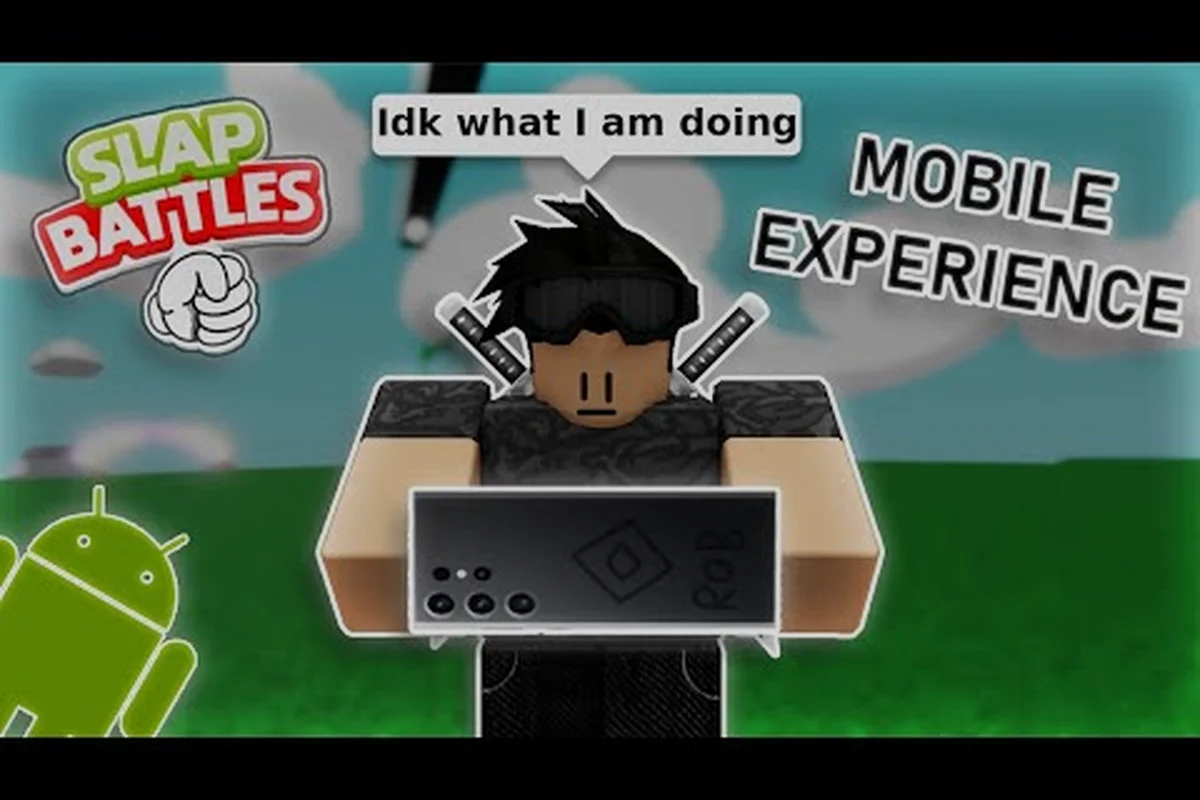
Mobile controls become much easier once you separate movement, aiming, and the slap button into three separate jobs. Slap Battles controls on mobile matter because a crowded arena rewards fast turns, controlled spacing, and precise timing, not random button tapping.
Slap Battles Controls on Mobile: A Practical Setup
Learning Slap Battles controls on mobile starts with understanding that your thumb can cover more of the screen than you may initially notice. The most reliable setup keeps the movement control under one thumb while the other thumb alternates between looking, aiming, and slapping, with camera movement used only when a target is close.
A useful first session should focus on consistency rather than maximum damage. Walk toward an open area, face a wall, and practice turning without advancing. Then add short movement bursts and controlled slaps. This isolates each action before opponents, obstacles, and knockback make every input more complicated.
The central benefit is muscle memory: once your movement and camera hands settle into fixed positions, you can react to a target instead of searching for buttons. A separate guide to mobile controls and stronger slap techniques can help with additional practice ideas, but the essentials below focus on the moment-to-moment feel.
| Control priority | What to practice | Why it matters |
|---|---|---|
| Movement | Short, controlled bursts | Creates predictable movement around opponents |
| Camera | Quick 90-degree turns | Prevents accidental backward movement |
| Slap | Confirm the target before committing | Reduces missed attacks and wasted stamina |
| Positioning | Maintain escape space | Makes knockback less dangerous |
| Timing | Slap at close range | Improves the chance of landing a meaningful hit |
Find Your Grip Before You Enter the Arena
Begin in a low-pressure match and choose a grip that leaves both thumbs free. Keep the device from resting on a table if possible, because the movement of your hands can make the character drift. If you use a phone case, check that it does not create a raised lip that interferes with fast thumb movement.
Use a consistent camera distance if the game provides one. A distant camera makes opponents smaller and can make a fast slap difficult to read, while a close camera can make knockback feel abrupt. The best setting is the one that lets you distinguish a target’s body and direction without losing awareness of nearby obstacles.
Do not change settings every few rounds. Mobile players need a stable visual reference so that a left turn remains a left turn under pressure. If a control feels inaccurate, lower the graphics or animation load before changing the camera itself, because unstable frame timing can make every gesture feel less consistent.
Separate Movement From Looking
The most common beginner error is treating the movement stick as a 360-degree camera control. Because a full thumb sweep can rotate the view while the character is still traveling, a diagonal drag may send you toward one opponent while your slap lands in another direction. Assign one thumb to the movement stick and use the opposite-side camera control to locate a target. For example, if a rival is closing from your flank in a 16-player arena match, stop forward input, turn to face that lane, and only then resume movement. Keeping these inputs distinct reduces missed swings in fast slap battles encounters.
Use the camera control to identify a target, then release or reduce it before moving. A practical pattern is: look, move, stop, confirm, and slap. This sequence is slower during the first few minutes, but it becomes much faster once you no longer need to think about each stage.
| Situation | Better input pattern | Common mistake |
|---|---|---|
| Target ahead | Look, tap movement, continue forward | Looking while sprinting |
| Target behind | Turn first, then use movement | Dragging both controls together |
| Enemy closing in | Stop moving, adjust camera, then counter | Slapping without confirming range |
| Cornered | Turn toward escape space before moving | Running blindly into an obstacle |
Slap Battles Game Modes and Their Control Demands
The Slap Battles game modes can change the ideal rhythm of your inputs. A mode built around direct confrontations rewards quick turns and confident slaps, while one with environmental hazards demands shorter movement bursts and more frequent camera checks. Because mode availability can change with updates, confirm the current playlist inside the game before a match.
The useful distinction is not simply whether a mode is easy or hard. It is whether you are fighting one opponent, navigating a group, or protecting yourself while the arena changes. Your thumbs need different timing in each situation, and choosing the right game mode makes it easier to practice those specific mechanics.
| Match situation | Main control demand | Best touch habit |
|---|---|---|
| One-on-one contest | Fast directional changes | Keep the camera aligned before moving |
| Free-for-all arena | Target switching | Stop briefly to confirm each opponent |
| Survival-style round | Escape timing | Leave a route open before committing to a slap |
| Mixed player lobby | Rapid repositioning | Use short bursts instead of continuous movement |
Adjust to the Number of Opponents
Against one opponent, precision is usually more valuable than speed. Watch the opponent’s shoulders and facing direction, then make a small correction before striking. Trying to reach them with one long movement input can overshoot, especially when their movement or knockback changes the distance unexpectedly.
In a larger group, constant target switching becomes the main challenge. You do not need to land every possible slap; you need to avoid becoming the nearest target for everyone else. A brief pause to identify the closest threat often creates more space than immediately attacking a distant player.
The match structure may also determine how much attention you need to give to the arena boundary. When a round has a short preparation phase, use that time to test your movement and camera sensitivity. When the round begins immediately, complete one full turn and a short lateral move before looking for an opponent.
Read the Round Timer
The timer is useful information, not just a countdown to panic. When plenty of time remains, you can make safer positioning choices and observe how opponents move. As the final portion begins, retreat first and attack only when an opponent commits to a path.
A useful routine is to divide a match into three mental phases: scan, select, and strike. During the scan phase, identify the nearest opponent and open space. During selection, decide whether to approach or disengage. The strike phase should be short because a slap and its recovery create a vulnerable moment.
This routine works particularly well in longer matches because the round timer turns every positioning decision into a manageable tradeoff. In a 16-player server, crowding the center can hide incoming slaps, so use the scan phase to identify the nearest opponent and the open space behind them. The arena tips and match-winning approach can add strategic context, while the control routine prevents scattered attacks during the final portion of the round.
Slap Battles Arena Rules and Spatial Awareness
Slap Battles arena rules are most useful when they help you predict where players will be and which movements are risky. Obstacles can interrupt a line of sight, narrow the safest escape path, and make a slap miss if the camera is not aligned. Before starting, look for the arena edges, major obstacles, and the direction from which opponents tend to approach.
Do not treat the center of an arena as automatically optimal. A central position may offer multiple routes, but it can also leave you visible from several angles. An edge position may reduce the number of direct approaches, yet it can leave only one escape route. The best position depends on nearby hazards, the number of opponents, and how much space your current input pattern can cover.
| Arena condition | Risk | Mobile adjustment |
|---|---|---|
| Narrow passage | Opponent can block the exit | Turn before committing to the passage |
| Open floor | Many approach lines | Use diagonal movement and frequent camera checks |
| Obstacle nearby | Misses and abrupt knockback | Leave more room between you and the obstacle |
| Close to boundary | Less room to recover | Fight only when the target is nearly eliminated |
| Several opponents together | Easy to receive multiple attacks | Circle the group rather than entering its center |
Build a Personal Escape Route
An escape route is an open direction that you can use immediately after a failed attack or a successful opponent hit. Before approaching anyone, identify at least one route and keep it clear. This is more useful on mobile than memorizing fixed map corners because the camera can make orientation difficult to judge.
If an opponent blocks that route, do not continue pushing toward the same wall. Stop, turn, and check the opposite side. The stop gives you time to reacquire your target and prevents a continuous input from carrying you into a hazardous position.
Understand the Limits of Touch
Touch controls depend on screen space, hand size, and the placement of onscreen buttons. A control that feels comfortable with one hand may become awkward after a quick turn or when a notification appears. Keep the playing area clean, disable overlapping system gestures when possible, and avoid trying to use another app while a match is active.
The control layout should also be consistent with your dominant hand. Trying to alternate hands every few rounds slows the adaptation process, especially when knockback interrupts a movement input. If the current layout is uncomfortable, make one adjustment at a time and test it in a private or low-pressure environment.
Slap Battles 16 Players Server and Match Structure
Understanding the Slap Battles 16 players server is important because more players create more simultaneous threats, but they also provide more opportunities to use the arena intelligently. The Slap Battles server size can affect how quickly you acquire targets, how much space remains between fights, and whether a direct confrontation is worth the risk.
Do not assume every public lobby will always contain exactly 16 players. Private instances, queue sizes, and update periods may change the active count. Treat the 16-player arrangement as a planning scenario for a full lobby, then confirm the actual player total in the match interface when it appears.
| Full-lobby condition | What changes | Best response |
|---|---|---|
| Opponents spread out | More available targets | Move between engagements |
| Opponents clustered | High knockback and confusion risk | Circle rather than charge |
| Target isolated | Safer direct exchange | Approach with a clear retreat path |
| Target near a group | Several opponents may intervene | Disengage or change targets |
| One player dominates the center | Others leave an outer lane | Use the outer space until it closes |
Break Down the Match Structure
The Slap Battles match structure determines what you should do with your attention. A round may include waiting, active combat, sudden environmental changes, or a decisive final phase. Treat each stage as a separate control problem rather than assuming the same action works throughout the match.
During the waiting period, test movement at several speeds and turn the camera in each direction. During active combat, reduce unnecessary movement and focus on the nearest threat. If the arena changes, stop moving briefly, locate the new boundaries, and re-establish your escape route. In the final phase, preserve space until a clear opening appears.
This staged awareness prevents a common mobile mistake: changing camera direction and movement direction at the same instant. One input should control your view, and another should move your character. If the game permits simultaneous input, use that only after you have practiced the separated method.
Use a Three-Part Match Plan
A three-part plan helps you manage a crowded match without overcomplicating it. First, identify the most immediate danger. Second, choose a route that avoids the center of the group. Third, attack only when your target’s path, your own path, and the available retreat are clear.
| Phase | Player objective | Control priority |
|---|---|---|
| Early match | Observe movement and build space | Camera accuracy |
| Middle match | Pick safer engagements | Positioning |
| Late match | Avoid risky eliminations | Escape timing |
The same framework can be refined with the knockback timing guide, especially when you need to turn a powerful hit into space rather than chasing an opponent into a corner. In a 16-player server, one well-timed slap can interrupt a close-range contest before the target closes the gap, while a late contact may let the player recover and continue the exchange. Use camera accuracy to confirm the hit, then adjust your movement input away from the group instead of following the opponent through the hit. This makes knockback part of your positioning plan: create a safer lane, preserve your retreat route, and avoid cornering yourself near the arena boundary.
Touch Drills for Faster and More Accurate Slaps
Accurate slaps depend on three components: target selection, camera alignment, and committed contact. Players often focus only on the final button press, but a fast slap against the wrong target wastes more time than a slightly slower hit. Begin each engagement by making sure the opponent is actually in front of you.
Practice Target Confirmation
Use the edge of your camera view to locate a moving shape, then bring it toward the center. Slap only after you can tell which way that character is facing. This habit is especially useful in a full server because another player may cross the target at the moment you commit.
A practical drill is to select three opponents, approach each one at a controlled speed, and make one aligned slap attempt. Afterward, note whether the miss came from poor positioning, a late turn, or an accidental movement input. Those causes require different corrections.
| Miss type | Likely cause | Correction |
|---|---|---|
| Slap hits empty space | Camera was not aligned | Center the target before pressing |
| Character slides away | Movement continued during the slap | Stop before committing |
| Wrong player was hit | Target changed nearby | Pause and confirm identity |
| Input feels delayed | Device performance fluctuates | Reduce graphics load and test again |
| Turn feels too sensitive | Camera sensitivity is excessive | Lower sensitivity slightly |
Train Under Low Pressure
Use a private or low-population match for the initial drill, if the current server options allow it. Practice a 90-degree turn followed by a short forward step. Add a slap only after the turn is accurate. This isolates camera control from attack timing and prevents a successful moment from reinforcing sloppy inputs.
Next, add knockback to the drill, because a slap can interrupt a turn or leave momentum carrying in the previous direction. Try a 90-degree turn, a short forward step, and a slap into one opponent, then watch whether your character keeps sliding or rotating after contact. If it does, make the recovery input smaller and deliberate; stopping the residual movement is often more effective than forcing a second turn.
Finally, practice attacking while two opponents move in the background to approximate the pressure of a 16-player server without filling a full lobby. Keep the camera centered and wait until both opponents enter the same forward arc before turning, stepping, and slapping, since crossing target lines can cause an accidental miss. If selection becomes inconsistent, pause the drill and repeat the earlier 90-degree turn and forward-step sequence; reducing movement speed is preferable to increasing it, because a missed target in a crowded arena leaves little time to recover.
Troubleshooting Common Mobile Input Problems
Most mobile control problems come from screen layout, frame stability, or an unclear mental model of the inputs. The game may still be working correctly, so changing a setting should follow a diagnosis rather than random experimentation. Observe the character’s response, the camera’s movement, and the timing of the slap separately.
A frozen avatar, delayed camera, and delayed input can point to device performance rather than the arena rules. Reduce the visual load, close background applications, and allow the device to cool if it has been running for a long session. Community reports often describe mobile performance as device-dependent, so a control that feels smooth on one phone may behave differently on another.
| Symptom | Likely explanation | Practical response |
|---|---|---|
| Avatar moves after stopping | Input release is not registering | Clean the touch area and retry a short tap |
| Camera reverses direction | Accidental second touch | Use a lighter camera drag |
| Slap misses repeatedly | Target was not centered | Add a brief confirmation step |
| Movement drifts | Touch control was partly held | Use shorter movement bursts |
| Inputs lag together | Device frame rate is unstable | Lower graphics and close background apps |
Adjust One Setting at a Time
Change either sensitivity, camera distance, or visual quality first, then test for several matches. If you change all three at once, you may not know which adjustment helped. Record simple observations such as “turns feel slower” or “targets are easier to center,” because those results are more useful than a vague impression that the controls “feel better.”
The goal is not to make the game easier. It is to make the control response predictable enough that your positioning decisions remain accurate. Consistent input helps you interpret knockback, choose safer targets, and react without searching for the right side of the screen.
Frequently Asked Questions
What are the best Slap Battles controls on mobile?
The best Slap Battles controls on mobile use separate, consistent thumb positions for movement, camera, and slapping. Keep movement under one thumb, center targets before attacking, and use short bursts instead of continuous motion. This setup reduces accidental turns and makes knockback recovery easier, especially in a crowded arena.
How many players can join a Slap Battles 16 players server?
A full Slap Battles 16 players server is planned for sixteen participants, although the actual number can vary by queue, private instance, or current server state. Players should confirm the lobby count in-game rather than assuming every public match is full. Planning for sixteen opponents helps with spacing and target awareness.
What are the main Slap Battles arena rules to remember?
The main Slap Battles arena rules center on staying within the playable area, avoiding obstacles, and using the space around opponents to your advantage. Environment boundaries can vary by mode or update, so players should inspect the current arena before engaging. Keeping one clear escape route is often more valuable than chasing a distant target.
How do camera controls affect slap timing?
Camera controls determine whether your target is centered when you attack. If the camera is misaligned, a slap can miss even when the distance is correct. Look first, stop your movement, confirm the target, and then slap. That sequence is especially useful in a full lobby where other players can move across your view.
What is the best match structure for practicing touch controls?
Short, low-pressure rounds are best for learning because they provide frequent opportunities to test turns, movement, and attacks without constant interruption. Once basic alignment is reliable, add knockback and multiple opponents. You can then review the masteries update overview for arena or control changes that may affect your practice plan.
The most effective mobile setup is not the one with the most complicated adjustments. It is the one that lets you see a target, move with intention, and attack without losing your escape route. Master those habits in low-pressure matches, then carry the same three-part routine—scan, select, strike—into busy arenas and full 16-player lobbies.