
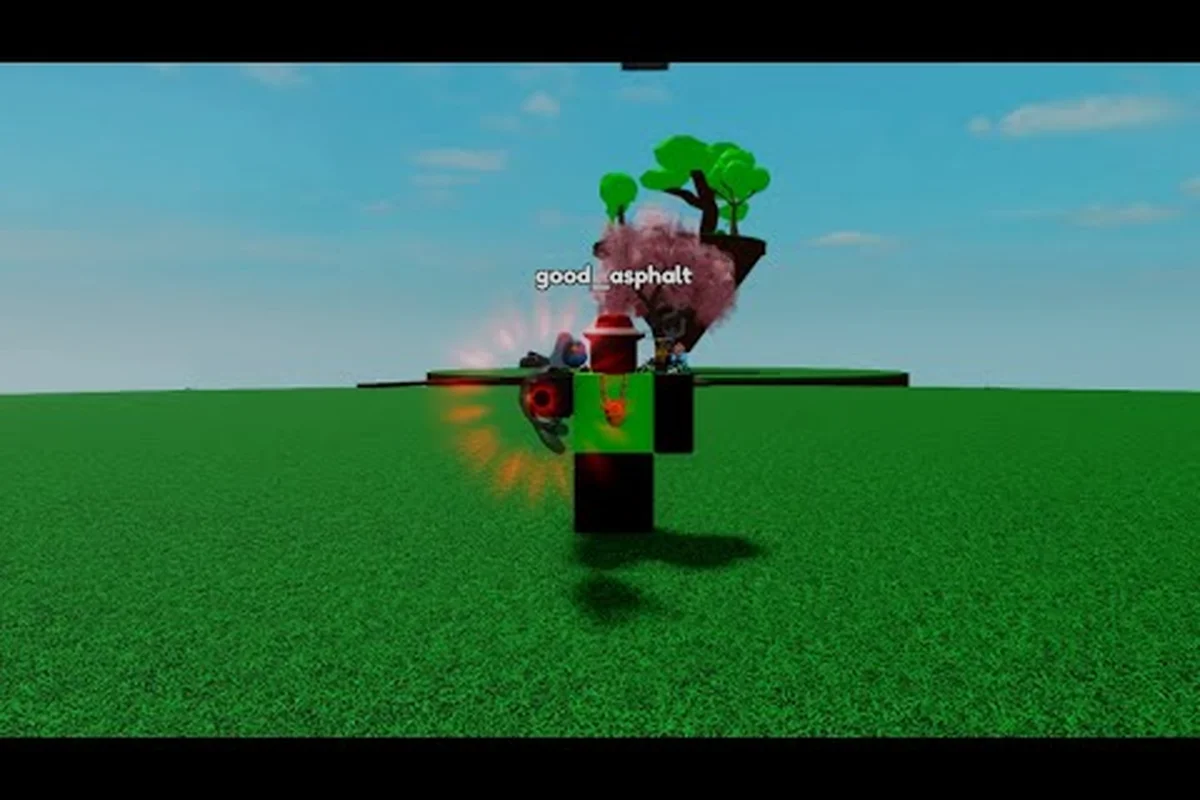
Slap Battles mechanics turn a short arena exchange into a win only when positioning, timing, and elimination rules align. On PC, W and S set your movement, while A and D rotate the camera; the left mouse button throws a slap, the right mouse button blocks, and Space jumps. The R6 avatar’s arm animation tracks the camera and hand, so a successful hit depends on lining up the target with the throw rather than mashing the attack button. Matchmaking places you against another player, but disconnected opponents or resolved matches can count as eliminations. After three eliminations, the winner receives $250; when a player wins three consecutive slaps, the match ends immediately, and the trophy icon confirms the result.
Slap Battles Mechanics and the Core Match Loop
Slap Battles mechanics create a simple but demanding loop: enter an arena, move among other players, land accurate slaps, and survive until the final opponent falls. Knowing that loop is important because the game’s challenge comes from reading other players rather than managing a complicated collection of weapons or abilities.
The central objective is straightforward, but the execution changes quickly as the arena shrinks. A player who understands only the objective may win an opening exchange and still lose because their timing, spacing, or recovery is poor. A useful Arena Survival Loop consists of four stages: positioning, engagement, recovery, and elimination.
| Match stage | Main goal | Common mistake | Better decision |
|---|---|---|---|
| Positioning | Find a usable opening | Rushing every nearby player | Watch movement patterns first |
| Engagement | Land a clean slap | Swinging while out of range | Attack when the target is reachable |
| Recovery | Avoid a counterattack | Staying after a missed swing | Move immediately after contact |
| Elimination | Remove the final competitors | Ignoring nearby threats | Prioritize the closest dangerous player |
The game’s appeal comes from the fact that these stages overlap. While you are recovering from one exchange, another player may be approaching, and a missed swing can leave you exposed. This means the strongest play is not always the biggest movement or the most dramatic reaction; it is often a controlled choice that keeps opponents guessing without leaving you stationary.
The Objective Behind Every Exchange
Every match revolves around direct competition between players. There is no damage meter or health percentage visible in the same way as a traditional fighting game, so understanding how an exchange ends is central. A successful slap causes a player to be eliminated from the round, while the match continues until only one active competitor remains.
That creates a Last Player Standing rule with important consequences. Chasing one opponent across the arena may allow someone else to eliminate you, and landing a slap does not automatically make you safe. After a hit, the other players still exist, and your position can determine whether you control the next phase of the match.
A useful rule is to treat every hit as a temporary reset rather than a final victory. After an opponent falls, scan for the nearest movement, establish a new angle, and avoid remaining in a predictable recovery spot. This habit reflects the kind of positioning discussed in the fatal blow and combat mechanics overview.
Why Mechanics Knowledge Beats Reflexes Alone
Fast reactions help in Slap Battles, but they cannot compensate for poor spacing. If you swing too early, you expose the full duration of the animation. If you move too directly toward a target, that player can predict your route. If you ignore an opponent behind you, a clean hit from that direction can end your run.
Learning the mechanics is therefore a form of risk management. The goal is not to memorize every visual cue perfectly, but to recognize repeatable situations and choose a reliable response. That is especially useful when matchmaking creates a mixed field of experienced and newer players.
| Player state | Likely risk | Recommended response |
|---|---|---|
| Target is approaching directly | Immediate counterattack | Use lateral movement before committing |
| Target has missed a swing | Recovery window | Close distance only if safe |
| Two opponents are nearby | Split attention | Identify the immediate threat |
| Player is airborne | Uncertain landing point | Track the descent, not just the launch |
| Player changes direction | Canceled route | Pause and read the new angle |
Understanding spacing turns the same slap battles controls into distinct tactical options. For example, moving sideways after an opponent’s missed swing preserves the recovery window without exposing your avatar to an immediate counterattack, while strafing can interrupt a direct approach. With multiple opponents nearby, the sharper read is often the immediate threat rather than the easiest target, because an untracked rear angle can trigger an early elimination.
Slap Battles Controls on PC and Their Practical Uses
Knowing the buttons is only the first step. The value of Slap Battles controls on PC comes from understanding the purpose of each action and combining it with movement, spacing, and timing. A player who presses the attack key whenever a target appears will usually attack before the target is actually vulnerable.
The key practical distinction is between movement commands and encounter actions. Movement changes your position; the attack action changes the state of a contest. Slaps can be missed because the target moved, because the range was wrong, or because the attacker committed too soon. Knowing which failure occurred helps you correct the next exchange.
| Control purpose | Basic function | Best use | Common timing error |
|---|---|---|---|
| Movement input | Change position | Create a new angle | Moving directly into attack range |
| Jump input | Leave the ground and change elevation | Cross space or disrupt an approach | Jumping without watching the landing |
| Slap input | Attempt an attack | Strike a reachable opponent | Swinging at an out-of-range target |
| Look or camera input | Track nearby players | Identify threats behind or beside you | Looking only at the current target |
| Quick recovery movement | Change direction after contact | Avoid a counterattack | Continuing forward after a miss |
Because keyboard layouts and bindings can differ, the best approach is to test the controls in a safe area before entering a serious match. Confirm that movement, jumping, camera movement, and attacking all respond naturally. The mobile controls reference can also help you compare platform-specific approaches to movement and attack timing.
Reading a PC Control Sequence
A reliable control sequence has three stages: Close, Commit, and Reset. During the close stage, you move within striking distance while adjusting your angle. During the commit stage, you attack with the target in reach. During the reset stage, you move away or sideways so a missed or completed attack does not leave you exposed.
This sequence works because it reduces the amount of time you spend in a vulnerable position. It also gives you a clear response to every outcome. If the hit lands, reset because another opponent may attack. If it misses, reset even faster because the target can now see your intention. If the target moves away, stop following immediately and look for a better angle.
Avoid holding a movement direction while attacking unless practice shows that it creates a useful pattern. The opponent may be watching your approach, and a predictable straight-line attack is easier to answer than an angle that changes before contact. Small adjustments are often more valuable than large movements because they preserve your options.
Common PC Control Mistakes
A control mistake in Slap Battles is not always caused by the keyboard; it can result from a mismatch between your intended action and the timing of your inputs. For example, a player may press attack during a movement command, causing the swing to trigger only after the avatar stops, or release movement at the wrong moment and leave an opening for a counterattack. The table below separates visible symptoms from their likely mechanical causes.
| Symptom | Likely cause | Correction |
|---|---|---|
| Attacks land only when standing still | Movement input interrupts the action | Time the attack and release movement cleanly |
| Misses happen against moving targets | Target is outside the hit area | Attack after matching their position |
| Frequent counterattacks | No recovery movement | Change direction after each swing |
| Difficulty spotting threats behind you | Camera stays fixed on one point | Check the wider arena periodically |
| Jump attacks feel unreliable | Landing point was not planned | Watch where the target will land |
The practical solution is to isolate one error at a time. Attempting to change movement, range, timing, and camera behavior all at once makes improvement difficult to measure. A short controlled session with one goal is more useful than a chaotic match where every mistake blends together.
R6 Avatars, Movement, and Positioning
The R6 avatar affects how a player occupies space, but the larger lesson in Slap Battles mechanics is that every body has vulnerable and useful positions. A character is not simply a hitbox to avoid; its orientation, elevation, and movement state all influence what the player can do next.
Because the game is built around readable physical exchanges, positioning matters more than raw speed. A player who understands the R6 avatar can use the character’s full range of motion instead of treating every movement input as a straight dash toward the nearest opponent.
R6 Avatar States and Their Uses
Ragdoll-style movement can make action look chaotic, but each avatar still enters a readable state before the next impact. Track whether a target is grounded, airborne, in slap contact, or recovering from knockback: a running target can change direction, a jumping target may briefly avoid a committed strike, and a stunned target cannot counter immediately. For example, if an opponent lands after a knockback, wait for the second movement input before attacking; redirecting at that moment can create a safer slap angle than chasing the landing itself.
| Avatar state | What it signals | Strategic response |
|---|---|---|
| Running | The player is changing position | Predict a likely path and angle it |
| Jumping | The player will briefly leave the ground | Avoid committing to a predictable strike |
| Landing | Balance and direction may be changing | Watch for a second movement input |
| Slap contact | One player has just been struck | Expect a rapid shift in the survivors |
| Stunned or recovering | The target cannot act normally | Approach carefully rather than standing still |
The R6 Body Orientation matters because an opponent facing you can react differently from one whose side is exposed. During a chase, try to move around the target’s line rather than approaching from the same direction repeatedly. This creates a new attack angle and reduces the opponent’s ability to anticipate your timing.
Players interested in the underlying impact system can also examine the ragdoll physics and knockback overview. That system is closely connected to positioning because a body pushed in one direction may open space or collide with another participant.
Using Elevation Without Becoming Predictable
Jumping can help a player cross distance or change the angle of an exchange, but it should not be used automatically. If every approach includes a jump, opponents can learn the pattern. If you jump while attacking, the added movement may make the strike less dependable because the relevant contact timing becomes harder to judge.
A more controlled approach is to separate actions. Use a jump to move around a target, then land and establish a stable position before committing to a slap. If the opponent also jumps, track their landing point and wait for a clear opportunity instead of following them into the air.
The same principle applies to retreats. A retreat that changes direction and height is less predictable than moving backward along the exact line you used to approach. Because the arena can contain multiple players, the safest landing location may be somewhere with more space, even if it is farther from your intended target.
Reading the R6 Avatar at a Glance
Fast visual reading comes from focusing on repeatable signals rather than trying to monitor the entire arena continuously. The R6 avatar’s facing direction, vertical position, and travel direction can be checked in that order: facing helps identify the current target, vertical position reveals whether the avatar is grounded or airborne, and travel direction shows whether that target is being approached or avoided. For example, if an R6 avatar faces one player while drifting sideways, you can prepare to protect an off-angle instead of chasing directly; if the same avatar changes direction during an approach, pause your own attack rather than committing to a stale line. This layered reading makes slap battles controls more responsive without requiring constant attention to every movement in the arena.
| Visual cue | Likely interpretation | Action |
|---|---|---|
| Facing one opponent while moving sideways | Preparing to circle | Hold an off-angle |
| Repeated jumps in the same area | Establishing a jump route | Change the area you contest |
| Sudden turn during a chase | Canceling the previous plan | Pause instead of committing |
| Body moving toward two nearby players | Under pressure from multiple angles | Address the nearest threat first |
| No movement for several seconds | Unclear or interrupted state | Confirm the situation before attacking |
These cues are not guaranteed scripts, so they should be treated as possibilities rather than fixed rules. Even so, building a response to common cues makes the avatar easier to read and reduces the need to react only after a mistake has happened.
Matchmaking, Lobbies, and Player Identification
Matchmaking in Slap Battles determines the opponents you face, but it also affects the rhythm of a match. Entering a populated lobby gives you more opportunities to observe and react; entering a smaller group can make every decision more consequential. Understanding the queue process helps you separate matchmaking delays from actual gameplay problems.
The useful parts of Slap Battles matchmaking are the player indicators shown before a match, the lobby stage where players prepare, and the transition into the arena. Players should pay attention to whether they are moving, jumping, or using an ability while waiting, because those actions can provide clues about familiarity without guaranteeing skill.
| Matchmaking or lobby signal | Likely information | Best response |
|---|---|---|
| Large player group | More active competition | Locate quieter edges and watch patterns |
| Small player group | Fewer immediate threats | Still check every direction before attacking |
| Repeated movement test | Players are checking controls | Continue your own preparation |
| Sudden camera movement | Someone may be watching another area | Avoid committing to a distant target |
| Arena transition | Match state is about to begin | Stop looking away and prepare for contact |
Because match results can depend on one mistimed exchange, a quick lobby scan is not wasted time. Players who charge straight toward opponents are often signaling an early commitment, while players who pause, turn, or reposition may be checking spacing and timing. For example, if one R6 avatar breaks away from a group as the arena opens, avoid assuming they are disoriented: watch their approach vector, then use your slap range to reward hesitation. This lobby read can reduce the risk of committing to an avoidable elimination.
Preparing During the Queue
Preparation should focus on three checks: control response, visual orientation, and objective awareness. First, confirm that movement, jumping, landing, and the attack input all register; an unresponsive direction can turn a harmless approach into an easy elimination. Second, scan the lobby before the arena starts, because your Slap Battles avatar may spawn near a busy cluster while quiet areas leave you exposed to a sudden approach. Third, keep the elimination objective in view: controlling space, tracking nearby players, and timing attacks matters more than chasing a single target.
A simple preparation routine is to verify the three mechanical dependencies before matchmaking begins: input response, camera visibility, and elimination awareness. On PC controls, a short directional test can reveal whether a key is unresponsive; the jump-and-landing check confirms that avatar movement and camera adjustment are working together; and the attack-input check verifies that a slap attempt will register. In a Slap Battles elimination round, failing any one check can leave you tracking opponents while unable to reposition, land reliably, or execute an attack, turning a neutral opening into an avoidable knockout.
-
Test movement with a short burst in each direction.
-
Test jump and landing so camera movement does not hide the result.
-
Check the attack input if the game permits a safe practice action.
-
Look around the lobby to locate the busiest and quietest areas.
-
Remember the last player you watched, because the arena may begin before your attention returns.
This routine is not about memorizing every lobby action. It is about entering the match already oriented. Players who spend the queue focused on one empty corner may be surprised by the first approach, whereas players who scan the environment have more information before the arena becomes crowded.
What Matchmaking Cannot Tell You
Queue indicators do not reveal whether another player will land a clean slap, manage recovery well, or react under pressure. Skill is visible only through decisions. This distinction matters because relying on matchmaking impressions can cause you to overestimate an opponent or underestimate a quieter player.
| Assumption | Why it is unreliable | Better evaluation |
|---|---|---|
| The most active player is strongest | Activity may mean poor positioning | Watch whether their actions create openings |
| A quiet player is weak | Caution can be deliberate | Watch how they respond to threats |
| A quick queue means a short match | Match length also depends on decisions | Accept variable round lengths |
| A full lobby guarantees a win | Many players can attack the leader | Keep moving and check behind you |
The most reliable information remains what you can observe in the arena. Match matchmaking only determines the initial opponents and starting conditions; it does not predict clean slap accuracy, recovery timing, or pressure handling. Live Read gives you actionable evidence instead: track whether an opponent closes distance, dodges your wind-up, recovers after missing, or creates space after a successful hit. For example, if a quieter player repeatedly angles away from your swing and then punishes your recovery, their positioning may indicate stronger slap battles mechanics than their queue activity suggests.
Slap Battles Eliminations and Survival Priorities
Slap Battles eliminations are the central cause of match changes, yet good survival depends on more than avoiding every incoming slap. A player must choose which threat deserves attention, when an attack is worth attempting, and how to protect the space needed for the next exchange.
The key survival principle is Threat Priority. Nearby opponents with a clear approach usually matter more than a distant player whose outcome you cannot yet control. This does not mean ignoring every distant threat; it means responding to the most immediate danger before attempting an ambitious chase.
| Survival state | Main danger | Corrective action |
|---|---|---|
| One opponent is close | Immediate strike | Face the threat and choose a clean angle |
| Two opponents flank you | Split attention | Turn toward the nearer one first |
| No opponent is visible | Unknown approach | Move toward useful space and keep checking |
| You just landed a hit | Counterattack from another direction | Reset and locate the next threat |
| You just missed | Immediate retaliation | Retreat, circle, or change elevation |
An elimination creates a brief opening, but it can also make remaining players converge. The last group may become more cautious because every mistake carries greater weight. Instead of charging into the newly empty space, use the moment to watch how others react.
Choosing a Target
A target is a good choice when the player is reachable, the approach is readable, and the surrounding space will not expose you to a second attacker. A poor target may look easy to hit but sits beside another opponent, forcing a difficult recovery after contact.
Use three checks before committing: Distance, Direction, and Escape Space. If you cannot answer all three, the attack is usually speculative. This is especially important when several bodies are moving because ragdoll and collision effects can alter the spacing you originally judged.
After eliminating a player, do not stand over the location. Move toward open space, turn your avatar to watch the likely approach, and wait for the survivors to reveal themselves. This is the survival pattern in the beginner guide to Slap Battles, but it also applies when a match reaches its final stages.
Finishing a Match
The final exchange often feels different because both players understand the stakes. One may take a direct route, while the other waits for a missed attack. If you are ahead in position, use that advantage to create uncertainty. If your health of the match is secure but your position is poor, prioritize escape over a risky counterattack.
There is no benefit to eliminating a second opponent if the third immediately eliminates you. The best finishing move is the one that also leaves you facing the remaining opponent. Keep an exit angle until the round ends, and avoid celebrating a hit by standing still.
A practical finishing checklist is: confirm the last surviving opponent, preserve a lateral escape option, and choose slaps that force a predictable reaction. If your first attempt misses, use the recovery moment to regain spacing instead of immediately swinging again, because a missed slap can leave you exposed to a counterattack. This also helps you avoid wasting an elimination on a second opponent while the third player remains a threat.
-
Locate the final opponent before changing direction.
-
Avoid stepping over the eliminated player’s body.
-
Keep one lateral movement option available.
-
Attack when the opponent cannot create another angle.
-
Reset immediately if the first attempt misses.
This approach reduces unnecessary heroics and improves consistency because the final opponent may have survived the entire match without making an early mistake. In that case, a sudden three-player exchange can punish you for treating the last target like an isolated duel: your position may still look safe even while the surviving opponent is already lining up an angle. Track the last opponent’s slap cooldown, range, and lateral movement rather than committing to a long combo. A missed hit that exposes your recovery animation is especially costly, because it gives the final opponent time to close the gap and force an elimination you cannot afford.
Putting Slap Battles Mechanics into Practice
Knowing the systems only matters if you can apply them under pressure. A compact practice routine can turn isolated knowledge into reliable habits: choose one match to study positioning, one to study camera awareness, and one to measure whether your recovery movement is getting faster.
Track outcomes in simple terms rather than vague labels. “Lost because I missed” identifies one problem; “I missed because I attacked at maximum range” reveals an actionable correction. This level of detail is more useful than calling an entire match bad.
| Practice target | Observable measure | Next adjustment |
|---|---|---|
| Attack range | Slap connects more often | Wait for a slight move toward you |
| Recovery | Opponent cannot counterattack immediately | Move sideways after every swing |
| Awareness | Threats behind you are noticed sooner | Scan the arena every few seconds |
| Decision-making | Fewer attacks while two players converge | Use threat priority |
| Landing control | Jumps end near the intended spot | Look at the landing area before jumping |
A short review after each match is enough. The goal is to find one repeatable fault, correct it in the next session, and check whether the change worked. Trying to repair everything at once creates confusion and makes it difficult to know whether the adjustment helped.
A Complete Practice Sequence
Start with movement and look inputs because reliable positioning depends on both. Next, practice approaching a target without attacking until the target is within a dependable range. After that, make one attack and immediately move sideways. If the target counters, treat that as useful information: the recovery window was too long or the chosen angle was too predictable.
Then add jumping. Choose a clear landing area, vary the timing, and avoid attacking automatically after landing. Finally, introduce a second opponent and practice threat priority. The goal is not to eliminate both quickly; it is to avoid being caught between them.
This progression is efficient because each step isolates one mechanic. The same information also supports a broader code and unlock reference when players want to check available rewards, but the core skills remain control timing, positioning, and recovery.
Building a Consistent Match Plan
A simple plan can prevent the confusion that occurs when every player appears equally threatening. Use three phases: Read, Engage, and Reset. Read the arena and identify the nearest opponent. Engage only when a favorable angle is available. Reset after every completed or missed action.
| Phase | Time spent | Goal |
|---|---|---|
| Read | Until a clear pattern appears | Understand nearby threats |
| Engage | One short attack window | Remove one opponent safely |
| Reset | Immediately after the attempt | Prevent a counterattack |
| Reassess | After recovery | Select the next target |
The plan should remain flexible. If an opponent blocks your path, change the angle rather than forcing the original sequence. If a second player approaches, redirect the engagement. Consistency does not mean repeating the same movement; it means applying the same decision logic under different conditions.
The essential takeaway is simple: Slap Battles mechanics reward players who can read space, commit cleanly, and reset before danger arrives. Controls, R6 avatar behavior, matchmaking, and eliminations all connect through those three decisions, and understanding each system makes every arena match easier to read.
Frequently Asked Questions
What are the core Slap Battles mechanics?
Slap Battles mechanics center on positioning, timing attacks, recovering after a swing, and eliminating opponents. A match continues until one active player remains, so an attack is only complete when the hit lands and the player can safely reset. Awareness of nearby threats matters just as much as raw slap speed.
Which controls matter most on PC?
The most important Slap Battles controls on PC are movement, jumping, camera movement, and the attack input. Movement creates or removes space, jumping changes elevation, the camera helps identify threats, and the attack input resolves an exchange. Comfort with their timing matters more than memorizing isolated button presses.
How does the R6 avatar affect positioning?
The R6 avatar makes direction, elevation, and body state important during combat. Running, jumping, landing, and recovering each create different opportunities and risks. Players who watch the avatar’s orientation can attack from less predictable angles, while players who only watch a target’s movement may miss threats around them.
What happens when a player is eliminated?
An eliminated player leaves the active match, reducing the number of competitors and changing everyone’s priorities. The remaining players may converge on the newly open area, creating a fresh risk. After landing an elimination, move away from the body, locate the next opponent, and reset before attempting another attack.
Does Slap Battles matchmaking determine the winner?
No. Matchmaking determines which players enter the arena, but it cannot predict individual decisions, timing, or positioning. A crowded lobby may produce more opportunities for mistakes, while a small lobby may make every exchange decisive. Read each opponent’s behavior and adapt instead of treating queue indicators as a measure of skill.